How to Convert PDF to Image?
Introduction
PDF to Image Free is an efficient solution to convert PDF to JPG/TIFF/PNG/BMP in one batch with outstanding quality and fast speed for easier viewing, manipulation, embedding, etc.
Step 1. Input PDF Files
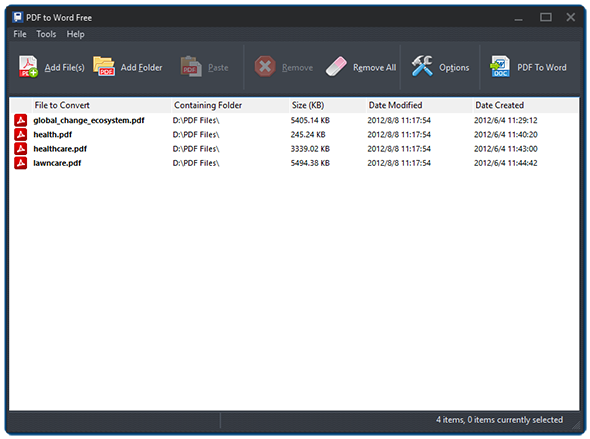
Launch PDF to Image Free and click "Add File(s)" or "Add Folder" to add PDF files you want to convert. The files will be listed in the window with total number displayed at the bottom of the program. To delete one or all of them, click "Remove/Remove All".
Step 2. Specify Conversion Settings
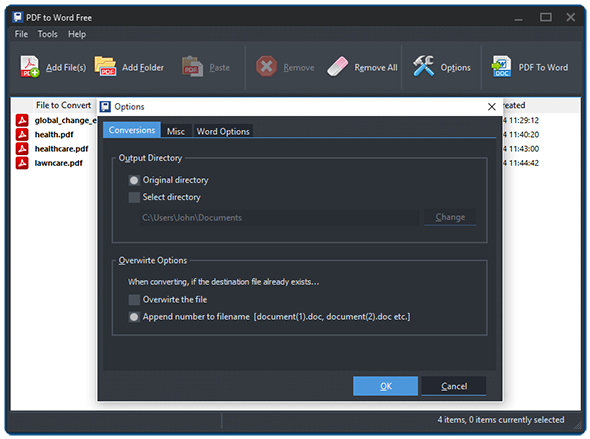
Click "Options" to specify the conversion settings. In the "Conversions" tab, you can select the output directory from original directory or check "Select directory" and click "Change" to choose the directory you want. You can also set the overwrite ways when the destination file already exists.
In the "Image Options" you can set the image formats for JPG, PNG, GIF, BMP, etc. as well as DPI value, color depth, resizing mode and so on to fulfill your needs. For those who want to convert PDF to TIFF, click "TIFF Options" and they can set the DPI value, color depth and compression type according to their needs.
Step 3. Convert PDF to Image
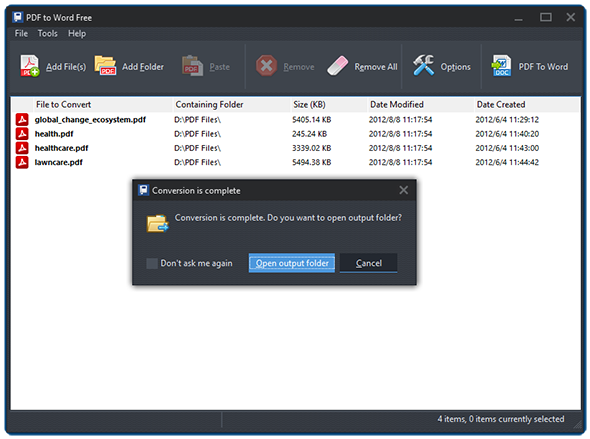
Click "PDF to JPG" to start conversion. Within seconds, the conversion will be completed. Click "Open output folder" to directly find the converted files.
Frequently Asked Questions
- Which image formats does PDF to Image Free support?
- JPG, PNG, TIFF, BMP and GIF. Each format has its own options tab for DPI, color depth and compression.
- Can I choose the DPI and color depth?
- Yes. Set DPI, color depth and resizing mode in the Image Options or TIFF Options tabs before running the conversion.
- Does it convert every PDF page into a separate image?
- Yes. Each PDF page becomes one image file so you can view, share or embed pages individually.
- Is batch conversion supported?
- Yes. Add multiple PDF files or an entire folder and convert them to images in one batch.
- Is PDF to Image Free really free?
- Yes. It is 100% free with no registration, watermarks or feature limits.