How to Convert PDF to HTML?
Introduction
If you want to convert PDF document into HTML files to upload them to your website without retyping or reformatting, PDF to HTML Free is the tool that can help convert PDF to HTML webpages for fast online publishing.
Step 1. Input PDF Files
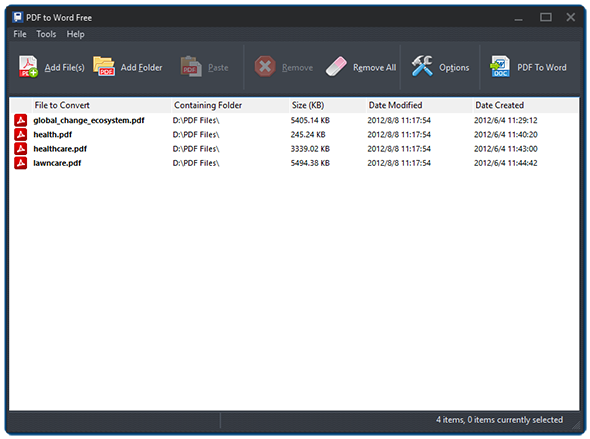
Launch PDF to HTML Free and click "Add File(s)" or "Add Folder" to add PDF files you want to convert. The files will be listed in the window with total number displayed at the bottom of the program. To delete one or all of them, click "Remove/Remove All".
Step 2. Specify Conversion Settings
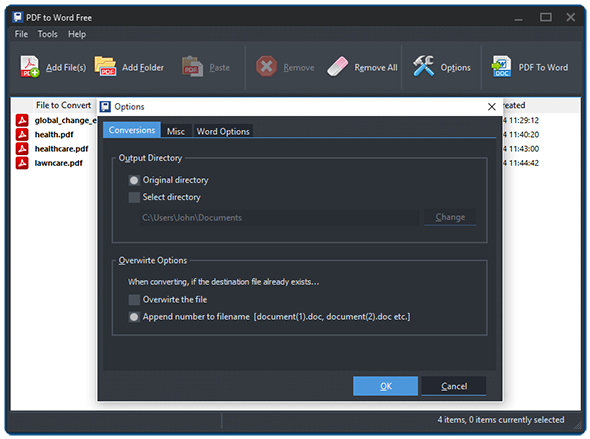
Click "Options" to specify the conversion settings. In the "Conversions" tab, you can select the output directory from original directory or check "Select directory" and click "Change" to choose the directory you want. You can also set the overwrite ways when the destination file already exists.
In the "HTML Options" you can define all pages or a continuous range to convert. The "Preserve Images" are checked by default. You can choose the ways to preserve from "Include image in HTML" and "Save images to the file system". The quality for images can be set from 10 to 100, and 100 is entered default. The title of the converted HTML documents can be named using the filename or customized by yourself.
Step 3. Convert PDF to HTML
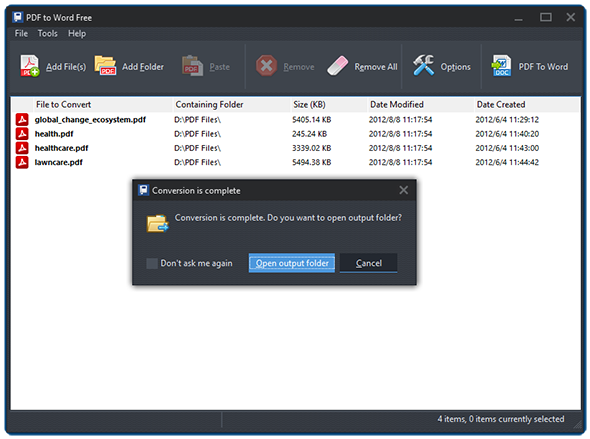
Click "PDF to HTML" to start conversion. Within seconds, the conversion will be completed. Click "Open output folder" to directly find the converted files.
Frequently Asked Questions
- What HTML output does PDF to HTML Free produce?
- Clean HTML pages that mirror the layout of the source PDF, ready to upload to a website without retyping or reformatting.
- How are images from the PDF handled?
- Images are preserved by default. You can embed them into the HTML or save them separately to the file system, with adjustable quality from 10 to 100.
- Can I set a custom title for each HTML page?
- Yes. Use the source PDF filename or enter a custom title in the HTML Options tab.
- Is batch conversion supported?
- Yes. Add multiple PDF files or a whole folder and convert them to HTML in one run.
- Does PDF to HTML Free cost anything?
- No. It is completely free for personal and business use, with no sign-up.